
If you own or manage a commercial building in Florida, your signage isn’t just about branding — it’s a legal requirement. Restroom signs, exit signs, room identification signs, and parking signs are all subject to federal accessibility law, and getting them wrong can mean fines, lawsuits, or a failed inspection.
This guide breaks down exactly what “ADA compliant signage” means, which signs the law actually covers, the specific measurements you need to hit, and where Florida law adds its own twist. Whether you’re opening a new location, renovating, or just want to make sure you’re covered, this is the practical, no-jargon version of the rules.
What Is ADA-Compliant Signage?
ADA-compliant signage is signage that meets the technical specifications laid out in the 2010 ADA Standards for Accessible Design — the federal rulebook that governs accessibility in commercial and public buildings. For signs, that means specific requirements for raised (tactile) lettering, Grade 2 Braille, character height and font style, color contrast, non-glare finishes, and mounting height and location.
The goal is simple: a person who is blind, low-vision, or has another disability should be able to locate and identify permanent rooms and spaces — restrooms, exits, offices, stairwells — independently, without relying on someone else to read a sign for them.
Not every sign in your building needs to meet every one of these rules. The requirements scale depending on what the sign identifies and how it’s used, which is exactly what the next section covers.
It’s worth understanding why the rules are this specific. Tactile reading is a physical skill — a Braille reader’s fingertip needs consistent dot height, spacing, and mounting position to read reliably across different buildings. That’s why the ADA Standards don’t just say “add Braille.” They specify dot diameter, cell spacing, mounting height ranges, and even which side of a door the sign belongs on. The specificity isn’t bureaucratic overreach; it’s what makes tactile signage actually usable in the real world.
Which Signs Must Be ADA Compliant Under Federal Law?
The ADA doesn’t require every sign in a facility to have raised letters and Braille. The rules apply based on function. Here’s how it breaks down:
Signs that require tactile characters and Braille (permanent room/space identification):
- Restroom signs
- Room and office number signs
- Stairwell identification signs
- Exit signs that identify a permanent space (not directional arrows)
- Elevator floor designations
- Accessible parking signs (in some cases, along with visual pictograms)
Signs that only need to meet visual requirements (contrast, font, no tactile/Braille needed):
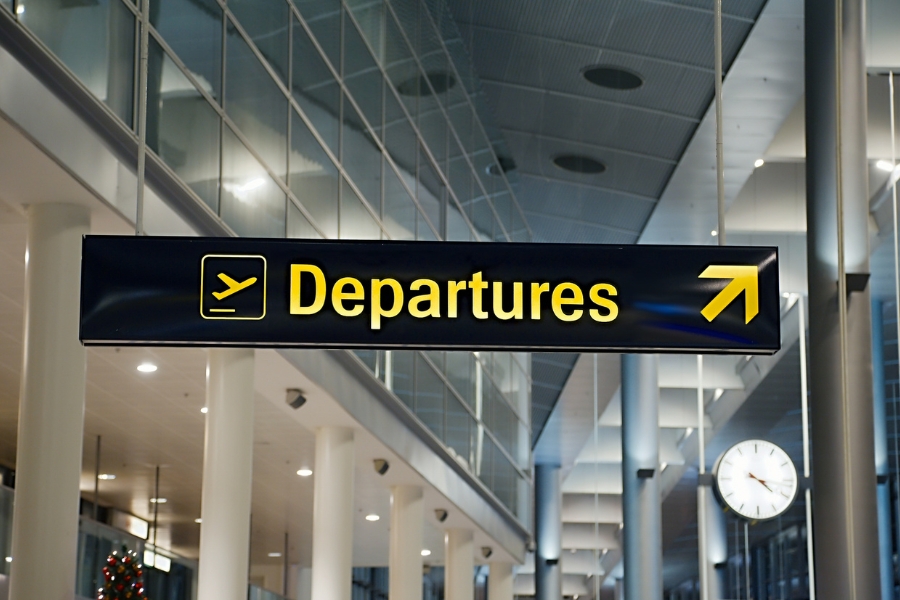
- Directional and wayfinding signs (e.g., “Restrooms →”)
- Informational signs not tied to a specific permanent room
- Temporary signs (posted for less than 7 days)
A simple way to remember it: if the sign identifies a permanent room or space, it likely needs tactile characters and Braille. If it’s giving directions or information that changes, it usually just needs to be visually legible and high-contrast.
Key ADA Sign Requirements: Font, Braille, Contrast & Mounting
This is the section most business owners actually need. Below are the core technical specs pulled from the 2010 ADA Standards (Section 703).
Character Style and Size
| Requirement | Standard |
|---|---|
| Case | Uppercase only for tactile characters |
| Font style | Sans-serif, non-italic, non-decorative |
| Character height | 5/8″ to 2″, based on the uppercase letter “I” |
| Stroke thickness | 15% max of character height |
| Character proportion | Width of “O” between 55%–110% of height of “I” |
| Raised depth | Minimum 1/32″ above the sign surface |
Braille Requirements
- Must be Grade 2 (contracted) Braille — not Grade 1
- Positioned directly below the corresponding text
- Braille dots must be rounded, not flat
- Minimum 3/8″ clearance from borders, decorative elements, or other tactile features
- Braille is only required on permanent room identification signs — not on every sign in the building
Mounting Height and Location
This is the single most common violation, so pay close attention:
- Tactile characters must be mounted 48 inches minimum to 60 inches maximum above the finished floor, measured from the baseline of the lowest and highest tactile character respectively
- Signs go on the latch side of the door
- A clear floor space of at least 18″ x 18″ must be centered on the sign, free of obstruction, and outside the door’s 45-degree swing arc
- At double doors with one active leaf, mount the sign on the inactive leaf; with two active leaves, mount it to the right of the right-hand door
- If there’s no wall space at the latch side, the sign can go on the nearest adjacent wall
Color Contrast and Finish
- High light-to-dark contrast is required between the characters and the background (contrast matters more than specific colors)
- Signs must have a non-glare finish — glossy laminates and reflective surfaces can fail inspection even if every other spec is correct
Character Height for Visual (Non-Tactile) Signs
Signs meant to be read from a distance — like overhead directional or wayfinding signs — follow a different rule than tactile room signs: the higher off the ground and the farther away a sign is meant to be read, the larger the lettering needs to be.
| Mounting height above floor | Minimum character height |
|---|---|
| 40″ to 70″ | 5/8″, increasing 1/8″ per foot of viewing distance beyond 6 feet |
| 70″ to 120″ | 2″, increasing with viewing distance |
| Above 120″ | 3″ minimum, increasing 1/8″ per foot beyond 21 feet |
This table matters most for large overhead signs in lobbies, hallways, and parking structures — areas where a sign is viewed from farther away and needs to scale up accordingly.
Common ADA Signage Violations (and How to Fix Them)
Most non-compliant signage isn’t the result of ignoring the ADA — it’s the result of small execution errors. Here’s what shows up most often during inspections and access audits:
1. Wrong mounting height. Signs installed too high or too low relative to the 48″–60″ tactile range are one of the most frequently cited issues. Fix: measure from the finished floor to the baseline of the characters, not the edge of the sign panel.
2. Missing or incorrect Braille. Some businesses install raised lettering but skip Braille entirely, or use Grade 1 instead of Grade 2. Fix: confirm your sign vendor is producing Grade 2 Braille and verify placement below the text.
3. Glossy or low-contrast finishes. A sign can have perfect lettering and still fail because the material is reflective or the color contrast is too low. Fix: specify matte, non-glare substrates and check contrast ratios during design, not after installation.
4. Signs mounted on the wrong side of the door. Mounting on the push side (when a closer with a hold-open device is present) or the wrong leaf of double doors is a common miss. Fix: confirm door hardware and swing direction before installation.
5. Decorative or condensed fonts. Stylized fonts might match a brand aesthetic, but italic, script, or overly condensed typefaces don’t meet the sans-serif, non-decorative requirement. Fix: use approved sans-serif fonts for any tactile sign, and save decorative branding for non-tactile elements.
6. No clear floor space. Furniture, decor, or trash cans placed in front of a compliant sign can still create a violation because the required 18″x18″ clear space is blocked. Fix: audit the physical space around signage, not just the sign itself.
Not sure if your signs are ADA compliant? Sign On offers free signage audits for Florida businesses — we’ll check mounting height, Braille, contrast, and placement against current standards and flag anything that needs fixing before it becomes a compliance issue. Request an ADA sign audit.
Do Florida State Laws Add Any Extra Requirements?
Yes — and this is where a lot of generic ADA guides fall short for Florida business owners. Florida doesn’t just follow the federal ADA; it has its own accessibility statute layered on top.
Florida’s Chapter 553, Part II (“Florida Americans With Disabilities Accessibility Implementation Act”) incorporates the federal ADA standards directly into state law and is enforced through the Florida Building Code, Chapter 11 (Accessibility). In practice, this means:
- Local building departments enforce accessibility requirements — including signage — through permitting and inspections, separate from federal ADA enforcement by the Department of Justice
- Florida law extends coverage in some areas beyond the federal ADA, including certain private clubs and residential buildings not otherwise covered federally
- Where Florida’s code and the federal ADA differ, the more stringent requirement applies
- Complying with the Florida Building Code helps demonstrate good-faith compliance, but it does not automatically shield a business from a federal ADA complaint or lawsuit — those are two separate legal tracks
For Florida businesses, the practical takeaway is that you’re managing two overlapping systems: a state permitting process and a federal civil rights law. Signage that passes your local building inspection should still be checked against the current federal ADA Standards, since inspection sign-off and full ADA compliance aren’t legally the same thing.
This matters more in Florida than in many other states because Florida consistently ranks among the highest-volume states for ADA Title III lawsuits, including complaints tied specifically to signage and physical access barriers. A building that received a certificate of occupancy years ago under an older code cycle isn’t automatically exempt from a present-day ADA complaint — the federal standard doesn’t grandfather in outdated signage just because it was compliant when installed. If you’re renovating, opening a new location, or simply haven’t had your signage reviewed since your last permit, it’s worth treating the state permitting checklist and the federal ADA checklist as two separate reviews rather than one.
Conclusion: Stay Compliant, Accessible, and Inspection-Ready
ADA-compliant signage is more than a legal requirement—it’s an important part of creating an accessible and welcoming environment for every visitor, employee, and customer. From restroom signs and office identification to stairwells and exits, properly designed and installed ADA signs help people navigate your facility safely while reducing the risk of compliance issues, failed inspections, and costly legal disputes.
For Florida business owners, it’s important to remember that both the federal ADA Standards and the Florida Building Code apply. Even if your building has passed a previous inspection, renovations, tenant improvements, or outdated signage can create compliance gaps over time. Conducting regular signage reviews is one of the easiest ways to ensure your property remains accessible and up to current standards.
Whether you’re opening a new business, renovating an existing facility, or replacing worn-out signs, investing in professionally manufactured ADA-compliant signage provides long-term peace of mind while improving the experience for everyone who enters your building.
At Sign On, we design, manufacture, and professionally install ADA-compliant signs for businesses throughout Southwest Florida. Our team stays current with the latest ADA Standards and Florida Building Code requirements to help ensure your signage is accurate, properly mounted, and inspection-ready.
Our ADA signage services include:
- Custom tactile and Braille signs
- Restroom, office, stairwell, and exit signs
- Wayfinding and directional signage
- Accessible parking signage
- Professional installation and placement
- ADA signage audits for existing facilities
If you’re unsure whether your current signage meets ADA requirements, we’re here to help. Contact Sign On today to schedule a consultation or request a free ADA signage audit, and let our experts help keep your business compliant, accessible, and ready for every customer.
FAQ: ADA Signs for Florida Businesses
Do all signs in my business need Braille? No. Only signs that identify permanent rooms or spaces — restrooms, exits, room numbers, stairwells — require Braille and tactile characters. Directional and informational signs generally only need to meet visual contrast and font requirements.
What happens if my signage isn’t ADA compliant? Non-compliant signage can result in ADA lawsuits (which are common in Florida due to its high volume of Title III litigation), DOJ complaints, and failure to pass local building inspections tied to your certificate of occupancy.
Does a temporary sign need to be ADA compliant? Signs posted for 7 days or less are generally exempt from the tactile and Braille requirements, though they should still be legible and reasonably high-contrast.
Can I just buy generic ADA signs online and install them myself? You can, but generic signs don’t account for your specific door swing, latch side, mounting surface, or Florida Building Code nuances. A professional sign company can verify placement and specs on-site, which is the step most DIY installs miss.
Who enforces ADA signage rules in Florida? Two separate systems apply: local building departments enforce the Florida Building Code (including Chapter 11 Accessibility) during permitting and inspections, while the federal ADA is a civil rights law enforced by the U.S. Department of Justice, typically in response to complaints or lawsuits.
Where can I find the official ADA signage standards? The full technical requirements are published by the U.S. Access Board and referenced in the 2010 ADA Standards for Accessible Design. Florida’s parallel requirements are outlined in the Florida Building Code, Chapter 11 (Accessibility), available through the Florida Department of State.
Looking to update your signage? Browse our ADA compliant indoor signage guide for sign types and materials, or see how we’re helping businesses with ADA signs across Southwest Florida.